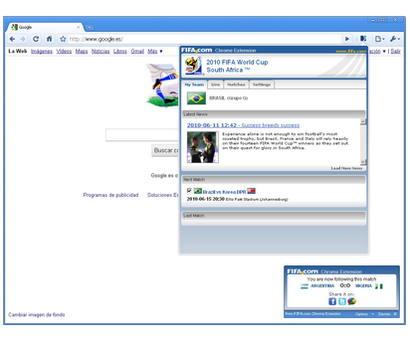
Chrome's browser window is streamlined, clean and simple.
Chrome also includes features that are designed for efficiency and ease of use. For example, you can search and navigate from the same box, and arrange tabs however you wish — quickly and easily.
Tip 4: 游览网页不留痕迹 - Incognito mode (private browsing)
Pages you view in this window won't appear in your browser history or search history, and they won't leave other traces, like cookies, on your computer after you close the incognito window. Any files you download or bookmarks you create will be preserved, however.
Going incognito doesn't affect the behavior of other people, servers, or software. Be wary of:
Websites that collect or share information about you
Internet service providers or employers that track the pages you visit
Malicious software that tracks your keystrokes in exchange for free smileys
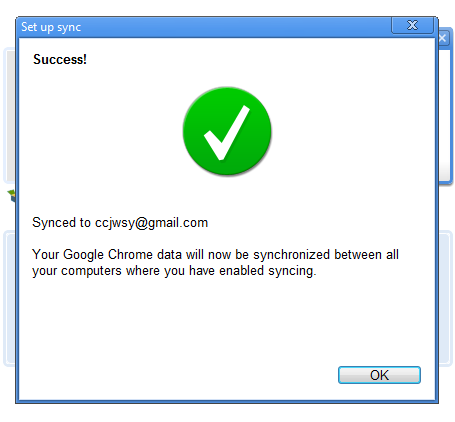
Google Chrome sync makes it easy to share your data (such as bookmarks and preferences) between your computers. Google Chrome synchronizes your data by storing it online with Google when you login with your Google Account.
Google chrome OS(OS= operating system,电脑操作系统),被视为google向microsoft旗下的OS下战书,并会在今年下半年随着小笔记电脑(NETBOOK)推出市场。如果google chrome OS 成功崛起的话,到时定会引起科技界的改革,大家使用电脑的习惯可能会改变了。
Google Chrome OS 是google 从人们对电脑使用的渴望 点出发,就是人们都希望有一套快速,简单,安全等等的电脑操作系统。它的概念完全和传统的操作系统不同,速度(Speed)、简洁(Simplicity)和安全性(Security)是它所标榜的三大主要特色。
从名字上我们可以发现,google chrome OS 只是把google chrome 游览器的游览器换成操作系统。当你使用google chrome OS时,你会发现它只是比google chrome 游览器多几粒按钮。所以簡單的說,Chrome OS 就是一個功能加強版的瀏览器,Chrome既是操作系統也是瀏览器。這是google设计这系统的主要概念,意即它的一切功能都會簡化在這個瀏覽器裡完成的,只要是會利用瀏覽器上網的人,就可以在最短的時間內掌握Chrome OS的操作。
跟其他操作系统在开机时需要开启一系列的程式,而拖慢了开机的速度不同,谷歌对系统进行了尽可能的简化,使用Chrome OS的电脑不需要在开机时启动任何程式,从开机到登录谷歌账号,只需少过7秒钟,其他的操作系统最快也要30秒以上,这就是Chrome OS里一直强调的速度优势。 Google Chrome OS 有何驚喜
Incredibly small: The download size of Foxit Reader is just a fraction of Acrobat Reader 20 M size.
Breezing-fast: When you run Foxit Reader, it launches instantly without any delay. You are not forced to view an annoying splash window displaying company logo, author names, etc.
Annotation tool: Have you ever wished to annotate (or comment on) a PDF document when you are reading it? Foxit Reader allows you to draw graphics, highlight text, type text and make notes on a PDF document and then print out or save the annotated document.
Text converter: You may convert the whole PDF document into a simple text file.
High security and privacy: Foxit Reader highly respects the security and privacy of users and will never connect to the Internet without users' permission. While other PDF readers often silently connect to the Internet in the background. Foxit PDF Reader does not contain any spyware.